

The universal problem
If you start an app in an interactive terminal and walk away:
- Closing the session often kills the process.
- A crash may leave nothing to restart it.
- After a reboot, nothing brings it back.
- Logs are scattered or lost.
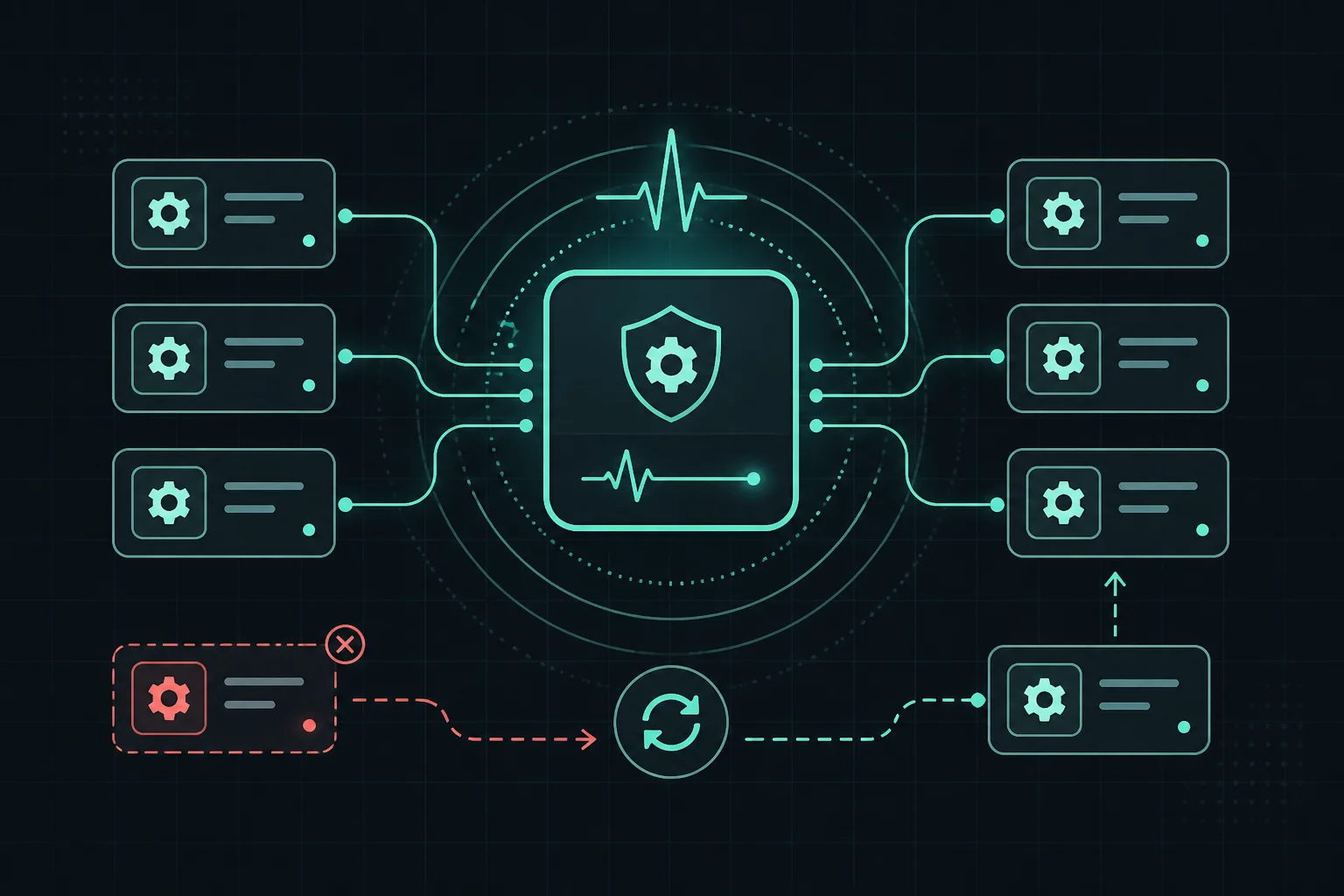
Every language and platform solves this with a process supervisor (sometimes called a service manager): a layer that keeps workloads running, restarts them, and integrates with logging and boot order.
Mental model (stack-agnostic)
- Your app = worker process (or pool of workers).
- Supervisor = ensures the worker stays up, restarts on failure, and optionally starts on boot.
- Reverse proxy (optional, next article) = routes public HTTP to your worker’s port or socket.
The syntax to configure the supervisor changes; the roles do not.
Common supervisors by environment
| Where you run | Typical tooling |
|---|---|
| Node.js on Linux VM | PM2, systemd, sometimes Docker |
| Any binary / Python / Go on Linux | systemd, supervisord |
| Windows Server | Windows Service, NSSM, or container |
| macOS server | launchd |
| Kubernetes | Deployment + liveness/readiness probes |
| Docker only | restart policies, compose restart: unless-stopped |
| Cloud PaaS | Platform keeps processes up (you configure start command) |
You might use more than one layer (e.g. systemd launches Docker, Docker runs your app).
What a good setup gives you (any stack)
- Restart on failure — transient errors do not take you offline until you SSH in.
- Survive SSH disconnect — not tied to your laptop session.
- Boot persistence — defined behavior after
reboot. - Structured operations — start/stop/status/logs commands.
- Multiple apps — several services on one machine without stepping on each other (distinct ports or sockets).
Example A — Node.js with PM2
PM2 is a popular choice specifically for Node. The concepts below map 1:1 to “restart policy + logs + list of apps” in other tools.
Why not only npm start in a shell?
Same reasons as running python app.py or ./server in a bare terminal: no supervision story.
Start apps
pm2 start app.js
Or an npm script (e.g. Next.js production):
pm2 start npm --name myapp -- start
Boot persistence
pm2 startup
pm2 save
Follow the one-time instructions PM2 prints for your init system.
Logs and inspection
pm2 logs
pm2 list
pm2 monit
pm2 restart myapp
Multiple apps / ports
Assign different ports per app via env vars your framework reads (PORT, ASPNETCORE_URLS, etc.).
Configuration and secrets (including database URLs)
The supervised process should read production settings from the environment (or a secure file loaded by the unit)—DATABASE_URL, DB_HOST, and passwords included. Local dev uses your laptop or Docker DB; the server definition must point at the real server or managed instance (see environment setup for network placement). Never bake credentials into the repo; align with code deployment for .env.example vs secrets.
Ecosystem file (Node-oriented but same idea as any config-driven supervisor)
// ecosystem.config.js — example
module.exports = {
  apps: [
    {
      name: "api",
      script: "npm",
      args: "start",
      cwd: "/var/www/api",
      env: { NODE_ENV: "production", PORT: 4000 },
    },
  ],
};
pm2 start ecosystem.config.js
Deploy loop (illustrative)
git pull
npm ci
npm run build   # if your stack builds
pm2 restart api
pm2 save
Swap npm/node for your install/build/restart commands.
Example B — Generic Linux service with systemd
For any executable (Go binary, Python venv gunicorn, .NET published DLL, etc.), systemd is the native option on most Linux servers.
Illustrative unit (/etc/systemd/system/myapp.service):
[Unit]
Description=My Application
After=network.target

[Service]
Type=simple
User=deploy
WorkingDirectory=/var/www/myapp
ExecStart=/var/www/myapp/my-binary serve
Restart=on-failure
Environment=PORT=8080
# Database and other secrets: use EnvironmentFile=/etc/myapp/production.env (chmod 600) rather than inline passwords

[Install]
WantedBy=multi-user.target
Then:
sudo systemctl daemon-reload
sudo systemctl enable --now myapp
sudo systemctl status myapp
journalctl -u myapp -f
Same ideas as PM2: user, working directory, restart policy, logging via journal.
When not to lean on a VM supervisor
- Kubernetes: the cluster scheduler is the supervisor; use Deployments and health checks.
- Serverless: the platform starts/stops instances; you configure concurrency and timeouts instead.
Tie-in to the rest of the path
- Code on the server → supervisor runs the result.
- Reverse proxy → sends HTTP to your supervised port or Unix socket.
- CI/CD → runs pull/build/restart automatically.
Takeaway
PM2 is one implementation of a universal need. If you use Python, Go, or .NET on Linux, you will likely touch systemd (or containers) instead—but you are solving the same problems: keep the process up, restart it, and operate it like infrastructure—not like a temp shell job.
Related: Environment setup, Reverse proxy & HTTPS, Monitoring.