

Introduction
Manually running:
git pull
# install deps
# run tests
# build
# restart service
works once, but it does not scale: people forget steps, environments drift, and rollbacks hurt.
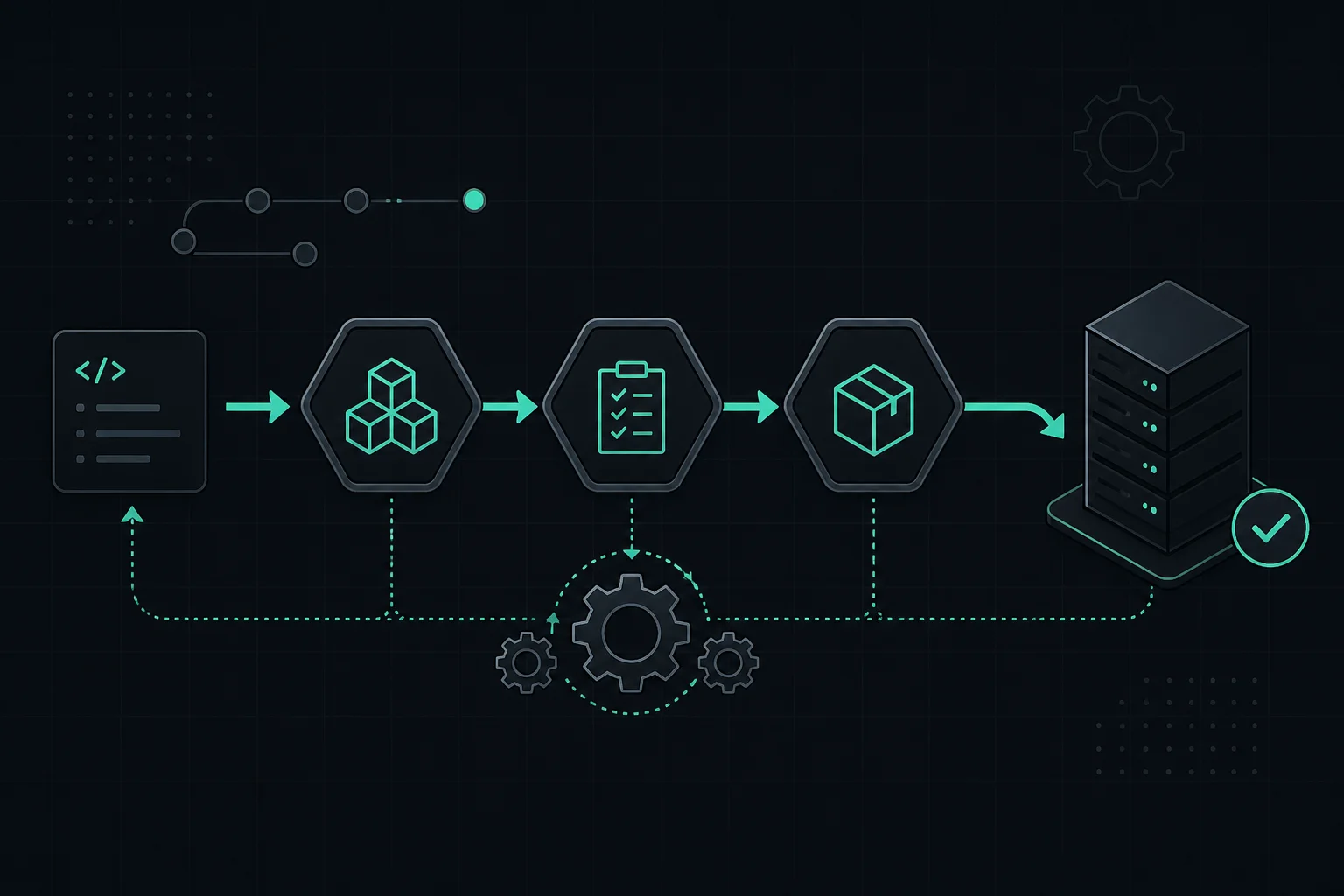
CI/CD automates that pipeline. The shape of the pipeline is the same for Node, Python, .NET, Go, mobile builds, or infrastructure—only the commands and artifacts change.
Vocabulary (universal)
- CI — Continuous Integration: frequently merge work; each change runs verify steps (lint, test, typecheck, security scan).
- CD — Continuous Delivery / Deployment: passing builds move toward production automatically or through a gate (approval, manual deploy button).
The pipeline pattern
Trigger → Checkout → Install toolchain & deps → Test → Build → Publish artifact → Deploy → Smoke test / notify
Trigger: push, PR, tag, schedule, or manual.
Deploy might mean SSH + script, kubectl apply, Terraform, Docker registry + pull, PaaS API, or object storage sync.
Tools (pick what matches your Git host)
- GitHub Actions
- GitLab CI/CD
- Jenkins, Buildkite, CircleCI, etc.
- Cloud-native: CodePipeline, Cloud Build, DevOps Pipelines
This guide uses GitHub Actions because it is widely used; the secrets + runner + steps model transfers directly to others.
Example: deploy to a VM over SSH
Idea: the pipeline runs on a hosted runner, then connects to your server with a deploy key or SSH key stored as a secret.
1. SSH access for automation
Create a key pair; put the public key in authorized_keys on the server for a dedicated deploy user.
2. Secrets in GitHub
Store at least:
SSH_PRIVATE_KEYSERVER_HOST(or IP)SERVER_USER- Optionally
DEPLOY_PATH - If the deploy script talks to the database:
DATABASE_URLor separateDB_*secrets—store them as GitHub Actions secrets (or your CI vault), not in the repo
Never commit keys in the repository.
Migrations in the pipeline: many teams run schema migrations from the same SSH (or runner) step before restarting the app, using the production connection string from secrets. Keep migrations backward compatible when you need zero-downtime deploys (expand → deploy → contract). Run destructive changes only with a plan and backup.
3. Workflow file
.github/workflows/deploy.yml — replace the script block with your stack’s commands.
name: Deploy

on:
  push:
    branches: [main]

jobs:
  deploy:
    runs-on: ubuntu-latest
    steps:
      - name: Connect and run deploy script
        uses: appleboy/ssh-action@v0.1.6
        with:
          host: ${{ secrets.SERVER_HOST }}
          username: ${{ secrets.SERVER_USER }}
          key: ${{ secrets.SSH_PRIVATE_KEY }}
          script: |
            cd ${{ secrets.DEPLOY_PATH }}
            git pull
            # --- swap this section for YOUR stack ---
            # npm ci && npm run build
            # pip install -r requirements.txt
            # dotnet publish -c Release -o ./out
            # docker compose pull && docker compose up -d
            # optional: run DB migrations before restart, e.g.:
            # npx prisma migrate deploy
            # dotnet ef database update (or your migration runner)
            # ------------------------------------------
            # restart your supervisor, e.g.:
            # pm2 restart all && pm2 save
            # sudo systemctl restart myapp
Pin third-party actions to a commit SHA in real production.
CI vs CD in one repo
Typical split:
- Job 1 (CI): on every PR — install, lint, test, build (no deploy).
- Job 2 (CD): on
mainonly — reuse artifact or repeat build, then deploy.
Same structure for any language; change the cache keys and commands.
Container-based deploys
Pattern: CI builds and pushes an image → production host or cluster pulls a tagged image → rollout. The SSH script above becomes docker pull / helm upgrade / kubectl set image, etc.
Benefits (all stacks)
- Repeatable releases
- Faster feedback (tests on every change)
- Less “works on my machine” drift
- Audit trail in the pipeline UI
- Easier onboarding—deploy is “merge to main,” not a tribal ritual
Common mistakes
- Secrets in Git history (including database URLs with passwords)
- Deploy job without tests
- No rollback story (keep previous image/tag/release)
- Running deploy scripts as root when unnecessary
- Divergence: CI uses Node 20, server still on Node 16
Full picture
Developer → Git host → CI/CD runner → (tests/build) → target environment → users
Target might be VM, Kubernetes, serverless, or static CDN—the automation idea is identical.
Conclusion
CI/CD is not a Node concept. It is how you encode your deployment checklist so machines run it every time.
Related: Environment setup, Code deployment, Process managers, Reverse proxy.