

Introduction
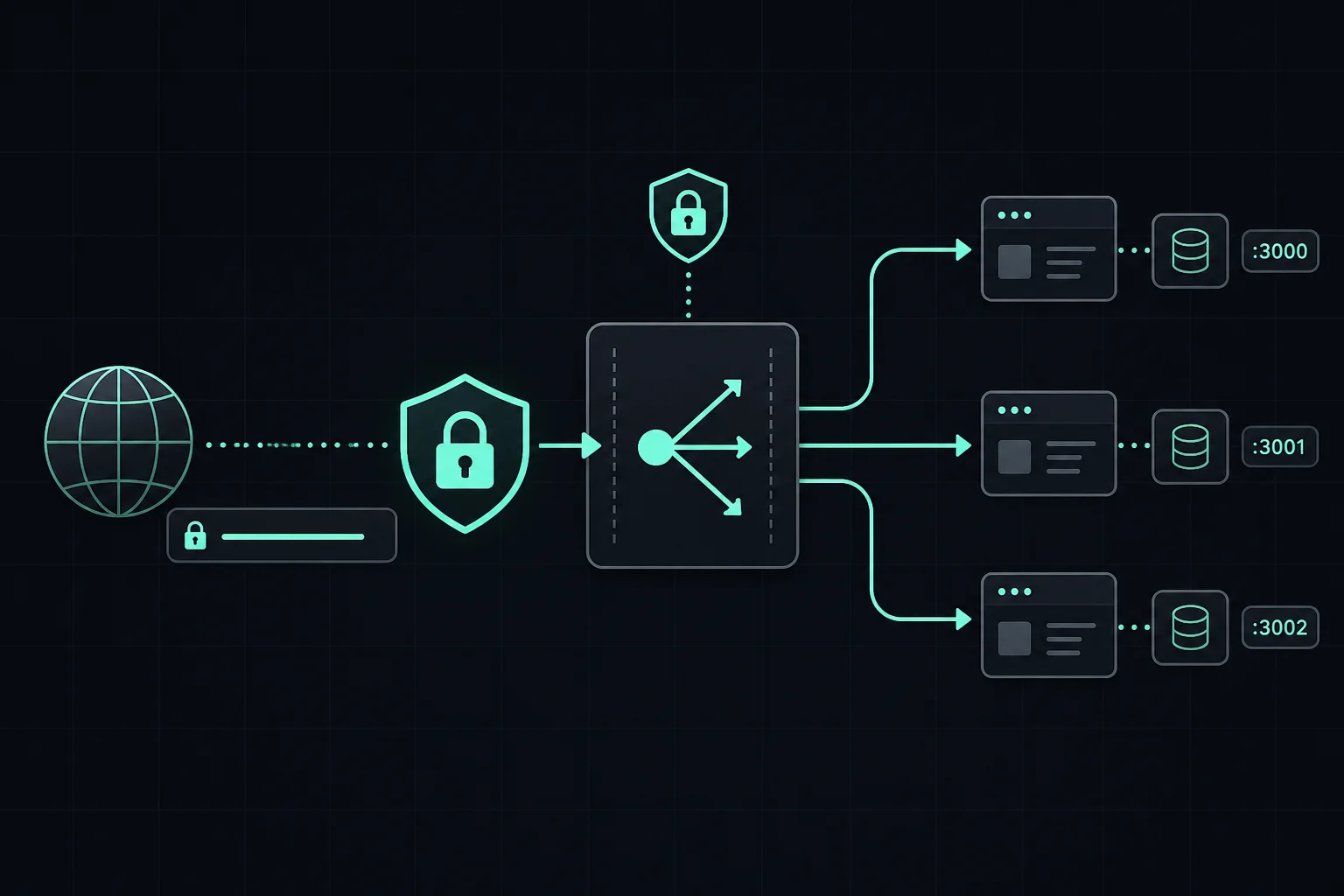
After your app runs under a supervisor, it usually listens on localhost ports or Unix sockets. End users should not browse to http://IP:3000 in production.
You add an edge layer that:
- Listens on 80/443 (or is fronted by a cloud LB that does)
- Terminates HTTPS
- Routes by hostname or path to the right backend
- Can add headers, compression, rate limits, and static file serving
That layer is a reverse proxy (or equivalent managed service). NGINX is a common self-hosted choice; the role is universal.
Same job, different products
| Tool / service | Notes |
|---|---|
| NGINX | Very common on Linux VMs; static + proxy + TLS with Certbot |
| Caddy | Automatic HTTPS with simpler config for many cases |
| Traefik | Popular with Docker / Kubernetes |
| Apache httpd | mod_proxy; still used widely |
| Envoy | Often in service meshes |
| Cloud load balancers | ALB, GLB, Azure App Gateway—managed TLS + routing |
| CDN + edge | Cloudflare, Fastly—can terminate TLS in front of your origin |
Learn what to configure (server names, upstreams, headers, certs); read vendor docs for syntax.
Mental model
Without a proxy (testing only)
User → http://IP:3000   (app A)
User → http://IP:4000   (app B)
Problems: many open ports, ugly URLs, TLS duplicated per app or missing.
With a reverse proxy
User → https://app.example.com   → upstream app A
User → https://api.example.com   → upstream app B
One public entry, certificates tied to hostnames, cleaner security story.
What you configure (regardless of software)
- DNS — A/AAAA or CNAME to your server or load balancer.
- Listener — ports 80 and 443 (or only 443 with HSTS).
- Server name / host rule — match
Hostheader to a backend. - Upstream —
http://127.0.0.1:PORTor a Unix socket, or another internal hostname. - Forwarded headers — so apps see real client IP and scheme (
X-Forwarded-For,X-Forwarded-Proto, etc.—exact names depend on framework). - TLS certificates — Let’s Encrypt, ACM, managed certs, or internal PKI.
Example walkthrough: NGINX on Debian/Ubuntu
The rest of this guide is a concrete NGINX + Certbot path on a typical Linux VPS. Translate the same steps to Caddy/Traefik if you prefer.
Install NGINX
sudo apt update
sudo apt install nginx -y
sudo systemctl start nginx
sudo systemctl enable nginx
Verify: open http://your-server-ip — default welcome page.
Single app — reverse proxy
server {
    listen 80;
    server_name yourdomain.com;

    location / {
        proxy_pass http://127.0.0.1:3000;
        proxy_http_version 1.1;
        proxy_set_header Upgrade $http_upgrade;
        proxy_set_header Connection "upgrade";
        proxy_set_header Host $host;
        proxy_set_header X-Real-IP $remote_addr;
        proxy_set_header X-Forwarded-For $proxy_add_x_forwarded_for;
        proxy_set_header X-Forwarded-Proto $scheme;
        proxy_cache_bypass $http_upgrade;
    }
}
Change 3000 to your app port. After DNS points here, request TLS:
sudo apt install certbot python3-certbot-nginx -y
sudo certbot --nginx
Multiple hostnames (typical production)
Repeat server { ... } blocks with different server_name and proxy_pass ports—for example app., admin., api..
Validate and reload
sudo nginx -t
sudo systemctl reload nginx
Firewall (UFW example)
sudo ufw allow OpenSSH
sudo ufw allow 'Nginx Full'
sudo ufw enable
After the proxy is live
- Deploy loop usually: update code → rebuild if needed → restart app process (not always NGINX unless config changed).
- 502 / 504 errors: check app is listening, proxy
upstreamtarget, and proxy error logs.
Architecture snapshot
User
  → DNS
  → Reverse proxy (TLS, routing)   ← NGINX, Caddy, ALB, …
  → Supervised app processes        ← PM2, systemd, K8s, …
  → Your code
Common mistakes (any proxy)
- Two apps binding the same public port accidentally
- Editing proxy config without a syntax test (
nginx -t, etc.) - TLS hostname mismatch (wrong cert or DNS not propagated)
- Missing forwarded headers, so apps think all traffic is
httpfrom127.0.0.1
Conclusion
NGINX in this article is one syntax for a universal layer. Whether you use Caddy on a VPS or an ALB in AWS, you are still doing: DNS → TLS → route → backend.
Related: Process managers, CI/CD, Monitoring.